Surehand is your AI assistant for running a cleaning business.
Plan the cleans, text customers, invoice, get paid and keep the books. Just ask.
A demo with an example business. Nothing you type leaves this page.
Your whole business, in one appEverything a cleaning business runs on. Ask the assistant, or tap through it yourself.
- Regular cleansEvery customer on their own frequency, weekly, fortnightly or monthly, with each day’s cleans ready.
- Text customersReminders the day before, from your phone, on WhatsApp or sent for you.
- Invoice and get paidInvoices, card payment links, Direct Debit and cash, all in one place.
- Bank matchingPayments from your bank feed matched to the right invoice.
- Expenses and receiptsSnap a receipt and it’s logged, so products, fuel and travel costs are in one list.
- Profit and taxProfit and loss, tax-year totals and Making Tax Digital quarters, with Xero sync.
Ask, and it’s doneSay it the way you’d tell a mate. Surehand gets it ready as a card, and nothing happens until you tap.
- Changed your mind? Say “undo that”.
- Texts use set wording, never made up.
- Bank details never go near the AI.
Surehand
Example
Who owes me?
Checked your customers and unpaid invoices
6 customers owe you £792. Two are behind on several invoices, so they’ll get one statement each.
Chase 6 customers
J Wilson£96.00
41 days overdue · reminder
K Shah£144.00
23 days overdue · statement
The Coopers£96.00
19 days overdue · statement
- and 3 more
Send 6 emails
Sent 6 emails.
Your bank feed does the matching.
Connect your bank once. What comes in lands against the right invoice, and you tick it off. No more evenings with a bank statement.
- Read-only
- Surehand can see payments, never move money.
- Open Banking
- Connected through TrueLayer, with your bank’s own sign-in.
- Kept from the AI
- Bank details never go near the assistant.
Payments come in, matched to invoices
Text customers your waySend them yourself by text or WhatsApp, or let Surehand send them for you.
Or just ask: “Tell the next three I’m running 20 minutes late.” Surehand shows you the text and what it costs before anything sends.
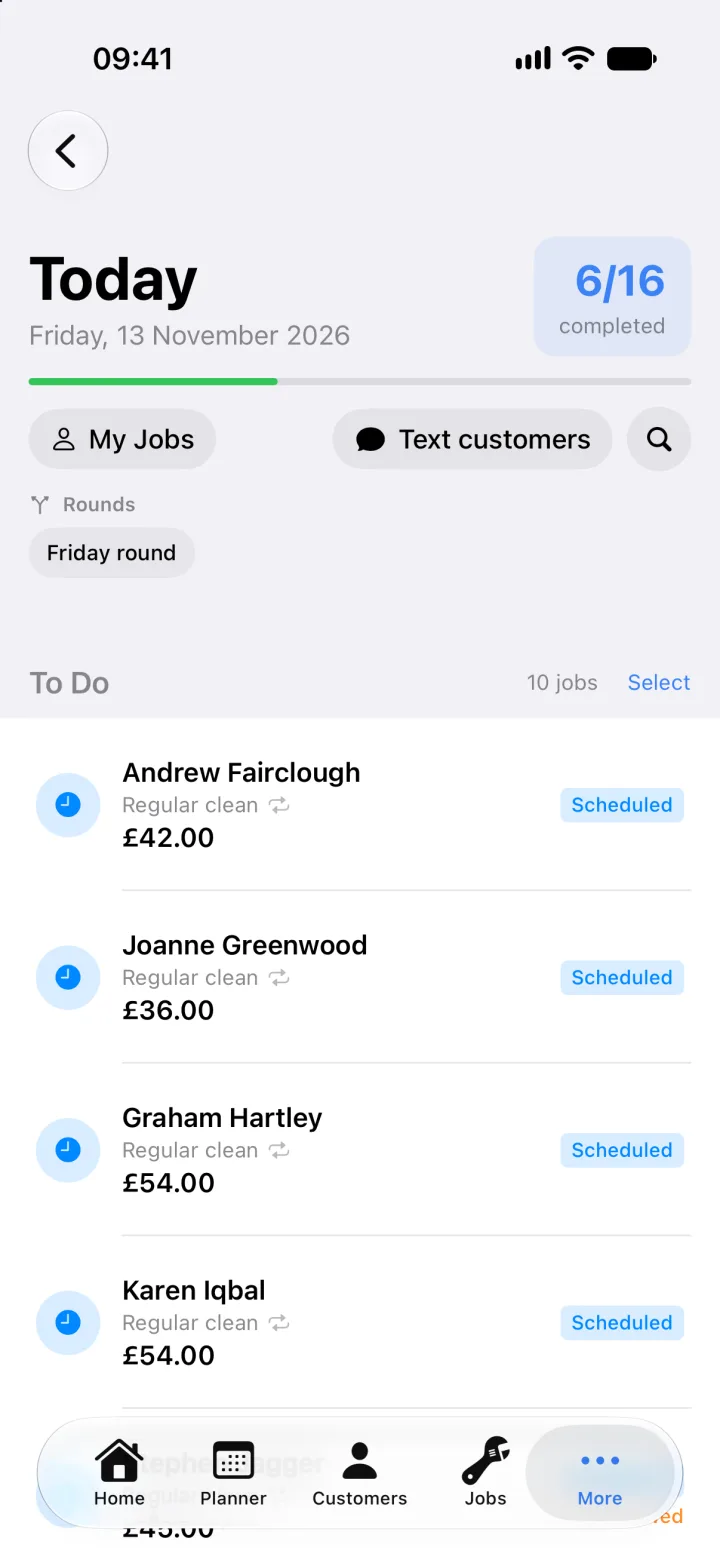
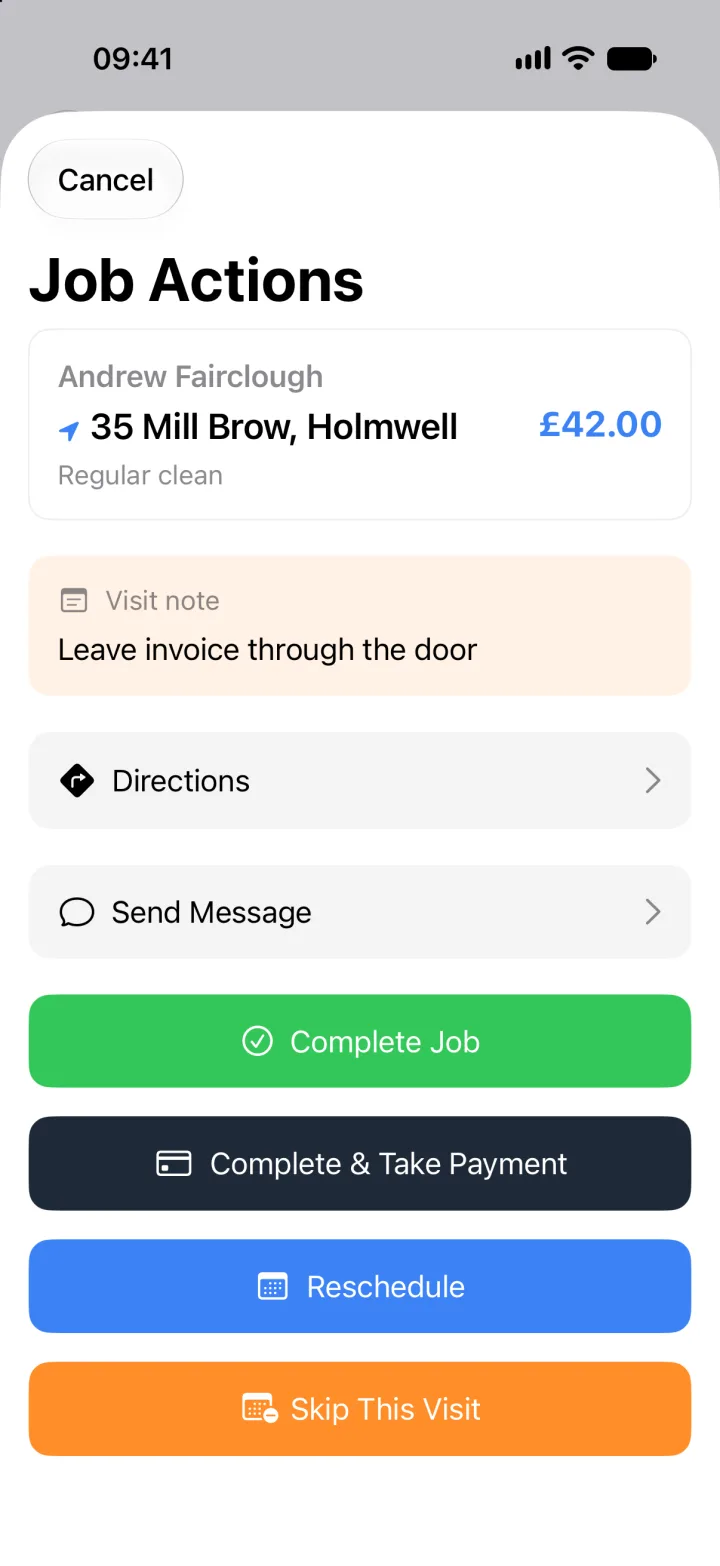
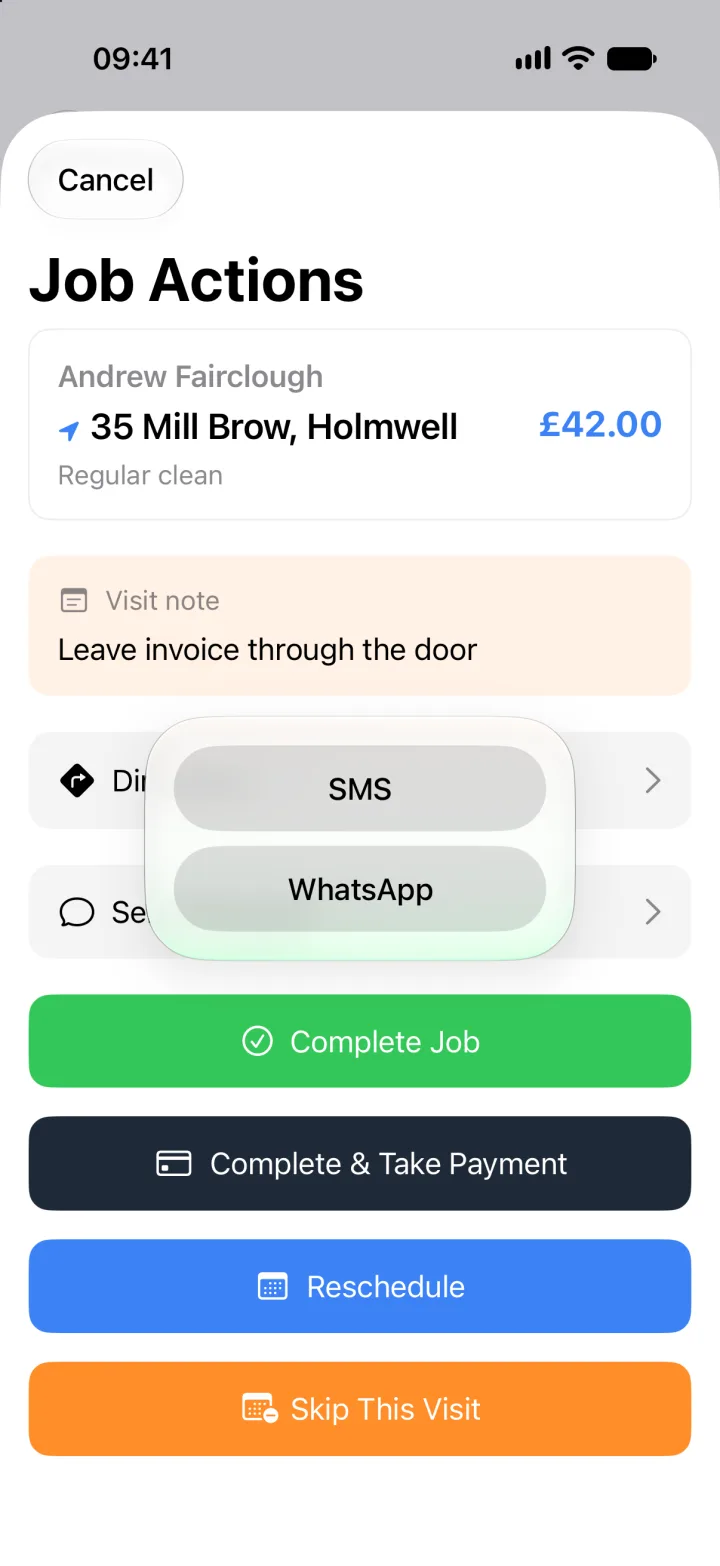
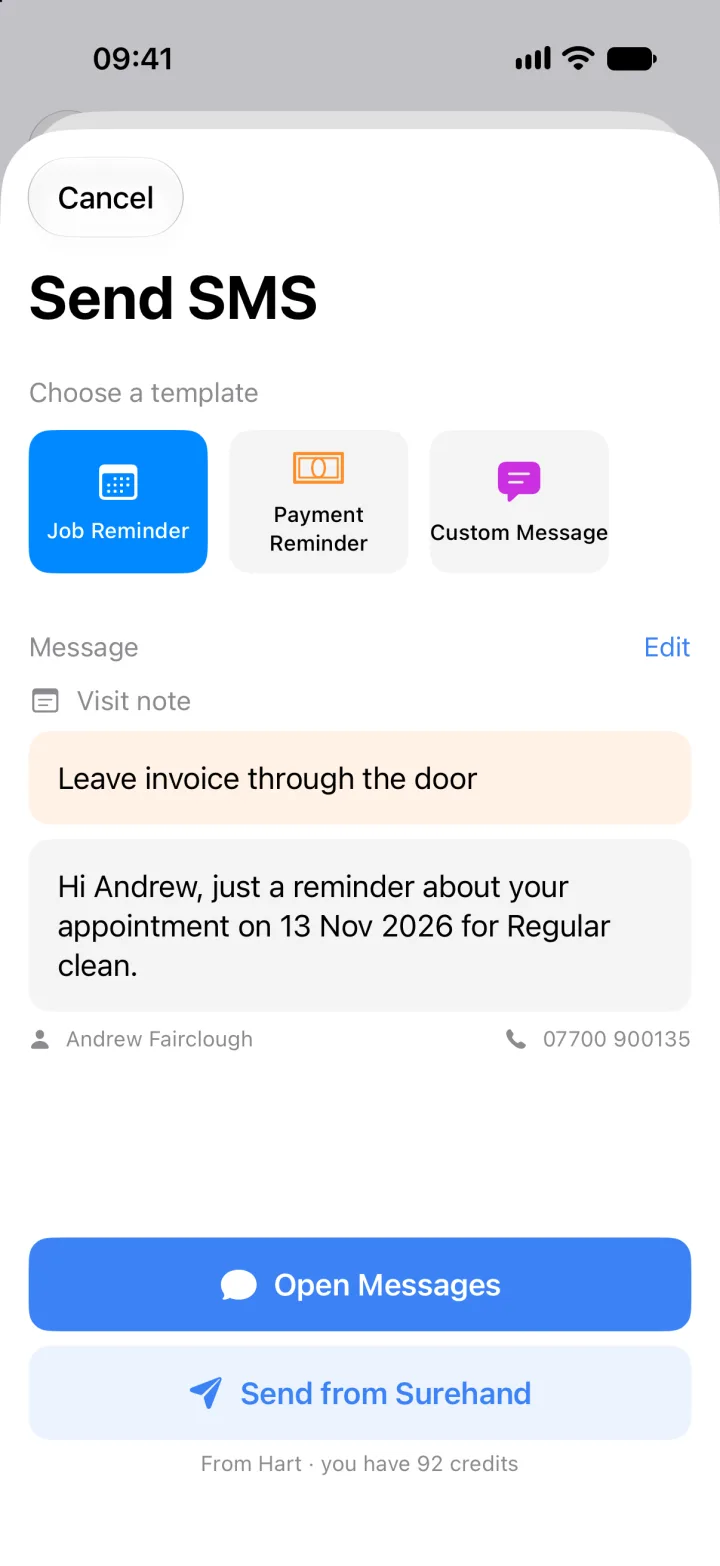
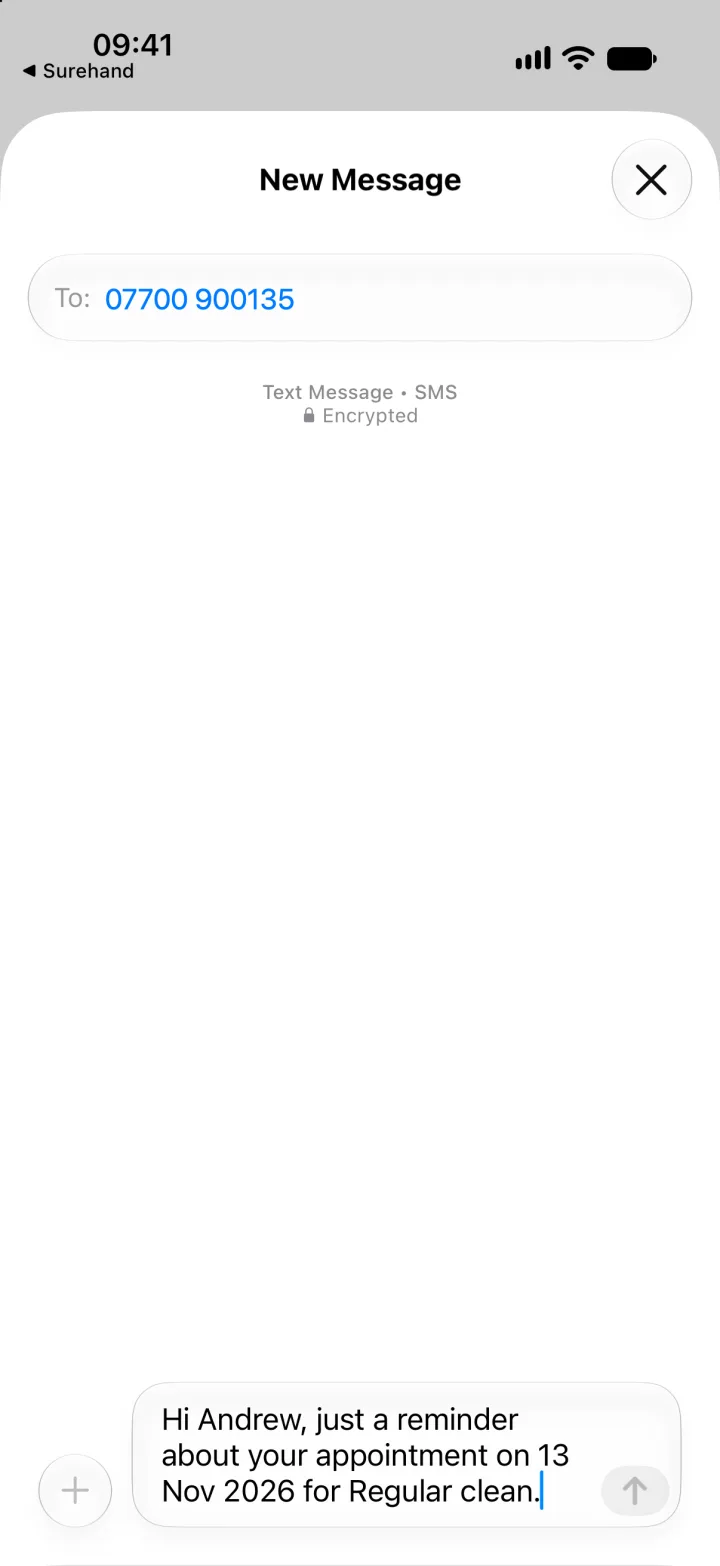
Open a job on Today
Made for iPhone and Apple Watch.Siri, the Action button, a Home Screen widget and Apple Watch. Android gets the same app and assistant.


- Example
Ask Siri what’s next, how the day’s going, or what you’re owed. Surehand answers without you opening the app.
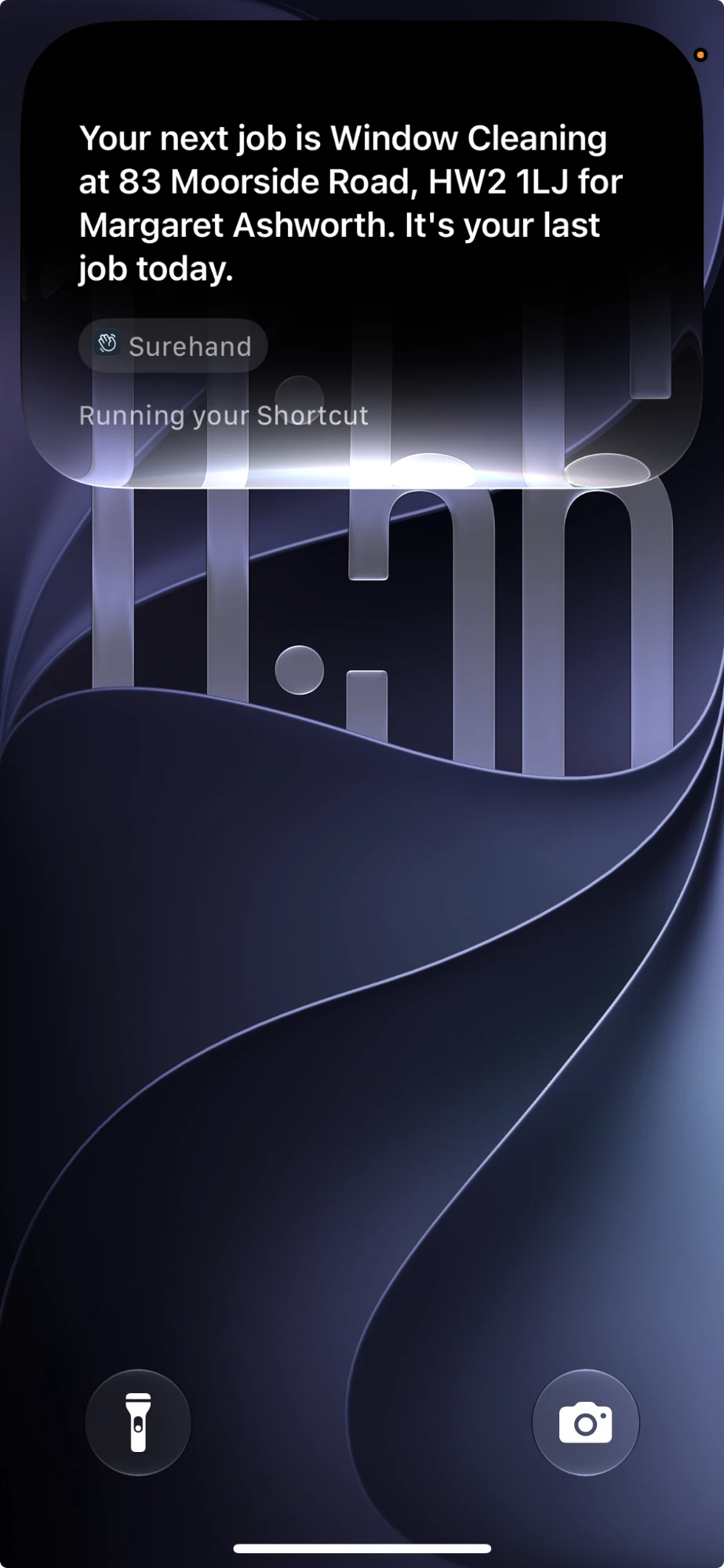
- Example
Ten shortcuts, ready the day you install. Put your favourite on the Action button.
- Ask Surehand
- Finish My Day
- Next Job
- Start Next Job
- Finish Job
- How’s My Day
- Navigate to Next Job
- Share an Invoice
- Invoices to Send
- Amount Owed
- Example
Start and finish jobs from your Home Screen. The timer runs while you work.
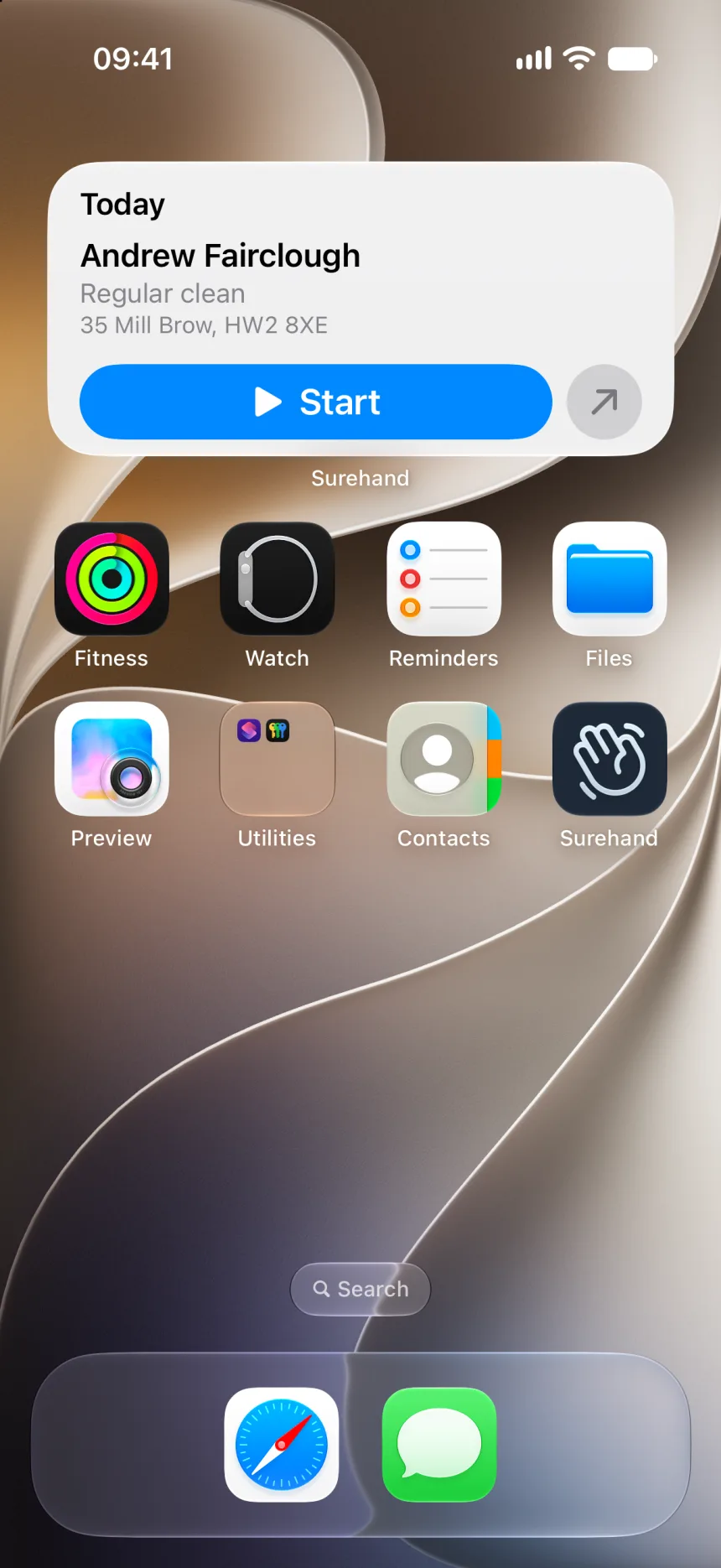
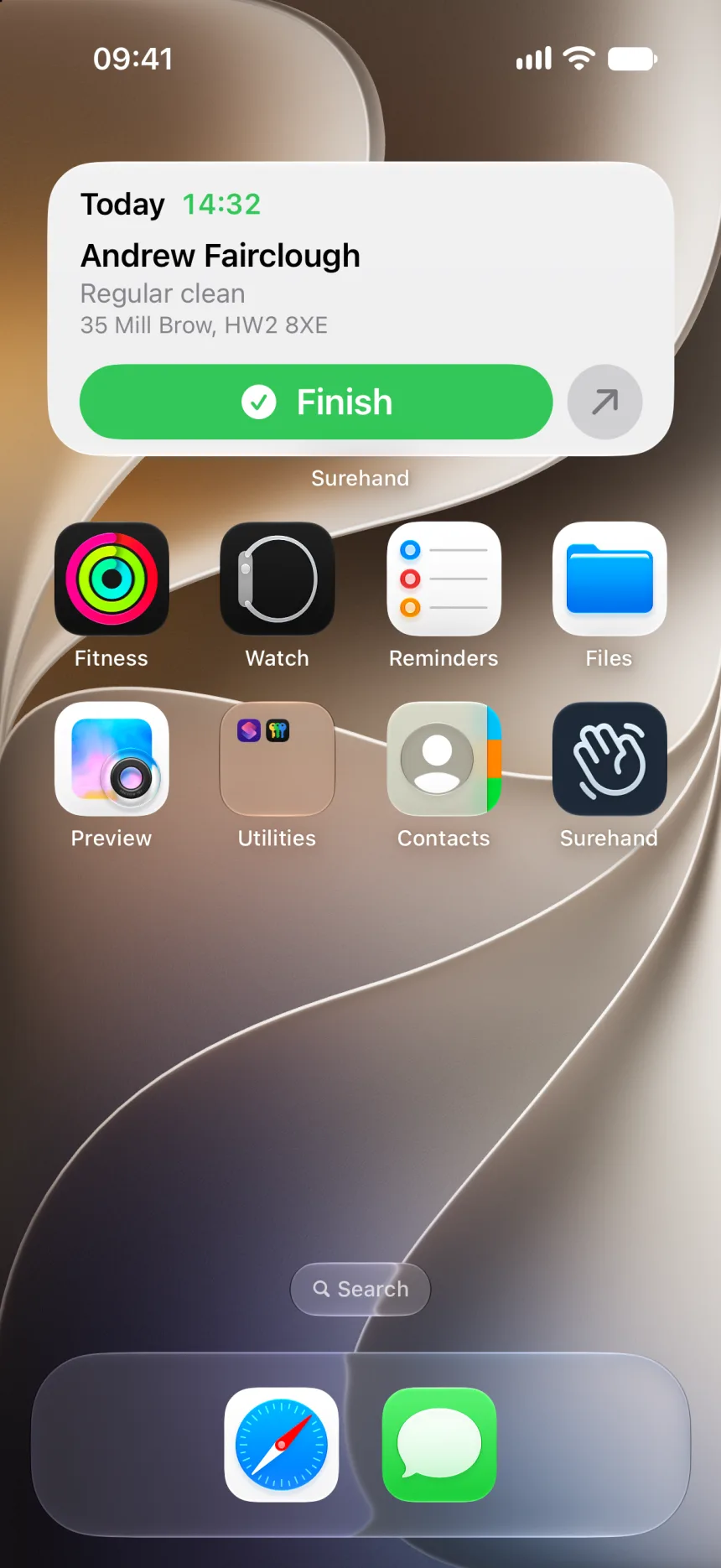
- Example
Today’s jobs on your wrist. Tap to start, tap again to finish.
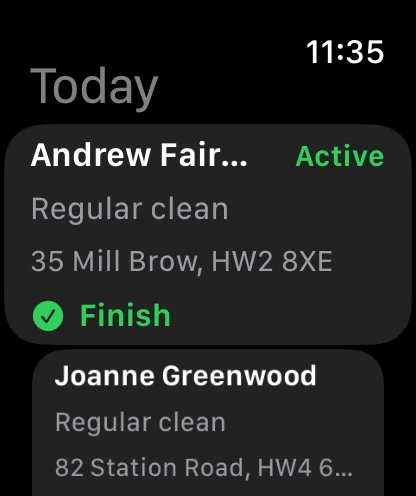
Everything else the business needs
When the day changesA job runs over or something urgent comes in? Move the rest of the day in one go, by asking or in the planner.
Surehand
Example
Move today’s jobs to tomorrow
Move 16 visits
Thu 12 Nov → Fri 13 Nov
Future recurring dates unchanged
Tell me any corrections before confirming.
Move visits
A portal for customersCustomers sign in to see their next visit, past jobs and invoices, and pay by card, without ringing you.
Your account
Example
Next visit
Friday 20 November
- INV-1044 · 23 OctPaid
- INV-1051 · 20 NovDue on the day
Pay INV-1051 by card
Works with the tools you already useConnect them once in Settings on Pro and Crew.


Card payments
Send a card payment link with the invoice. The customer pays on their phone and the invoice marks itself paid.


Direct Debit
Customers authorise once, then completed-job invoices are collected when they’re due.
- Xero
Accounting
Invoices and payments sync to Xero, HMRC-recognised software for Making Tax Digital. No exports, no double entry.
PricingStart with a 30-day free trial. Pick a plan when you’re ready. Cancel anytime.
Essentials
£15 a month
Everything you need to get started. Customers, jobs, quotes, invoices.
Start free trial- Up to 3 users included
- Customer management (basic CRM)
- Job scheduling & calendar
- Quotes & invoices (email send)
- Payment tracking
- Email reminders and statements
- Text customers from your own phone or WhatsApp
- Basic reporting
- Email support
- Onboarding assistance included
Pro
£23 a month
Online payments, job forms, and automatic reminders. Less chasing, more earning.
Start free trial- Everything in Essentials, plus:
- Up to 3 users included
- Online payments (Stripe)
- Direct Debit (GoCardless)
- Automatic texts: day before, job done, overdue (pay as you go)
- Job forms & reports (up to 3 active form templates)
- Enhanced reporting (jobs & revenue)
- Priority email support
- Onboarding assistance included
Crew
From £79 a month
+ £7 per additional user
For teams. Advanced scheduling, permissions, and reporting across your whole crew.
Start free trial- Everything in Pro, plus:
- Up to 5 users included (then £7 per additional user)
- Advanced automations & workflows
- Customer portal (view quotes, invoices, job history)
- Advanced customer portal options (branding, extra info)
- Advanced job forms & reports (higher template limits)
- Team scheduling & job assignment
- Role-based permissions
- Audit logs (who changed what)
- Advanced reporting & exports (team performance, KPIs)
- API access (for custom integrations)
- Dedicated account manager
- Priority support (email + phone)
All plans include email support and onboarding assistance. Start with a free trial and change plans as your business grows.
QuestionsWhat cleaners ask before they switch.
Is the AI assistant extra?
What does the AI see?
Can I use Siri with Surehand?
Do texts cost extra?
Can I keep notes like key safes and alarm codes?
Can my cleaners see their own work without seeing the money?
Can my customers see their own cleans and invoices?
Can I bring my customers across?
How does Surehand help with Making Tax Digital?
Try Surehand free for 30 days.
iPhone, Android and the web. Bring your customers from a spreadsheet or your current app.
Guides for your cleaning businessRegular work, your team and getting paid.
- Set up recurring workRegular visits, frequencies and how the planner fills itself in.
- Manage team roles and financial accessLet your cleaners see their work without seeing the money.
- Use the customer portal and communicationsGive customers their own view of visits and invoices.
- How to take payments as a service businessCompare bank transfer, Direct Debit, card and cash for recurring work.
- 5 ways to improve cash flowSimple habits that get money in sooner.