Everything Surehand doesThe whole business in one app. Ask the assistant, or tap through it yourself.
Ask, and it’s doneSay it the way you’d tell a mate. Surehand gets it ready as a card, and nothing happens until you tap.
- Changed your mind? Say “undo that”.
- Texts use set wording, never made up.
- Bank details never go near the AI.
Surehand
Example
Who owes me?
Checked your customers and unpaid invoices
6 customers owe you £412. Two are behind on several invoices, so they’ll get one statement each.
Chase 6 customers
J Wilson£45.00
41 days overdue · reminder
K Shah£96.00
23 days overdue · statement
The Coopers£54.00
19 days overdue · statement
- and 3 more
Send 6 emails
Sent 6 emails.
Plan the workQuotes that become jobs, rounds at any frequency, and the whole week in one planner.
- An accepted quote books the jobs
- Recurring work, from weekly to every 12 weeks or monthly
- Drag jobs around the planner
- Rained off? Ask Surehand to move the day
Planner
Example
Know every customerDetails, notes, job history and what they owe, in one place.
- Notes like gate codes and where to park
- Every job, quote and invoice for each customer
- A portal where customers see their visits and pay
Customers
Example
Text customers your waySend them yourself by text or WhatsApp, or let Surehand send them for you.
Or just ask: “Tell the next three I’m running 20 minutes late.” Surehand shows you the text and what it costs before anything sends.
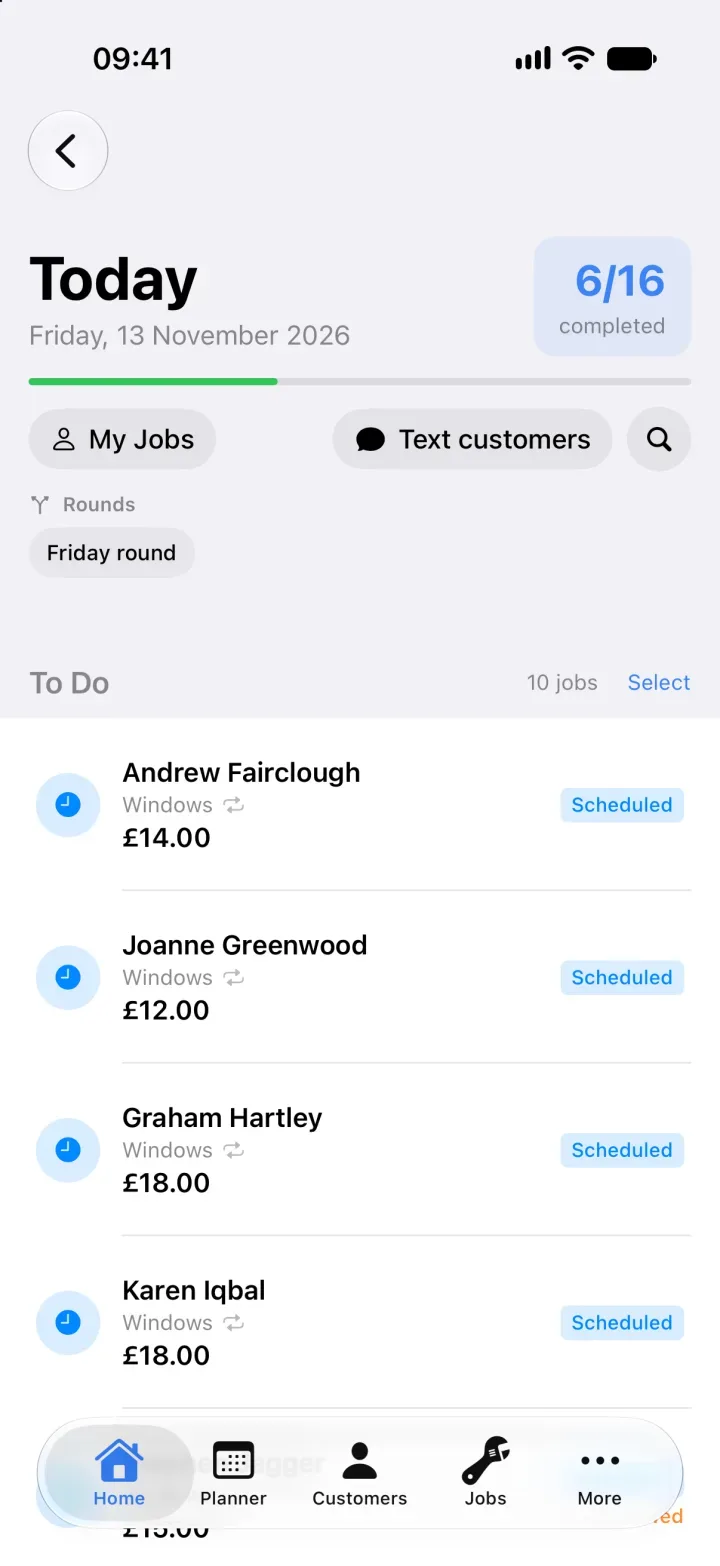
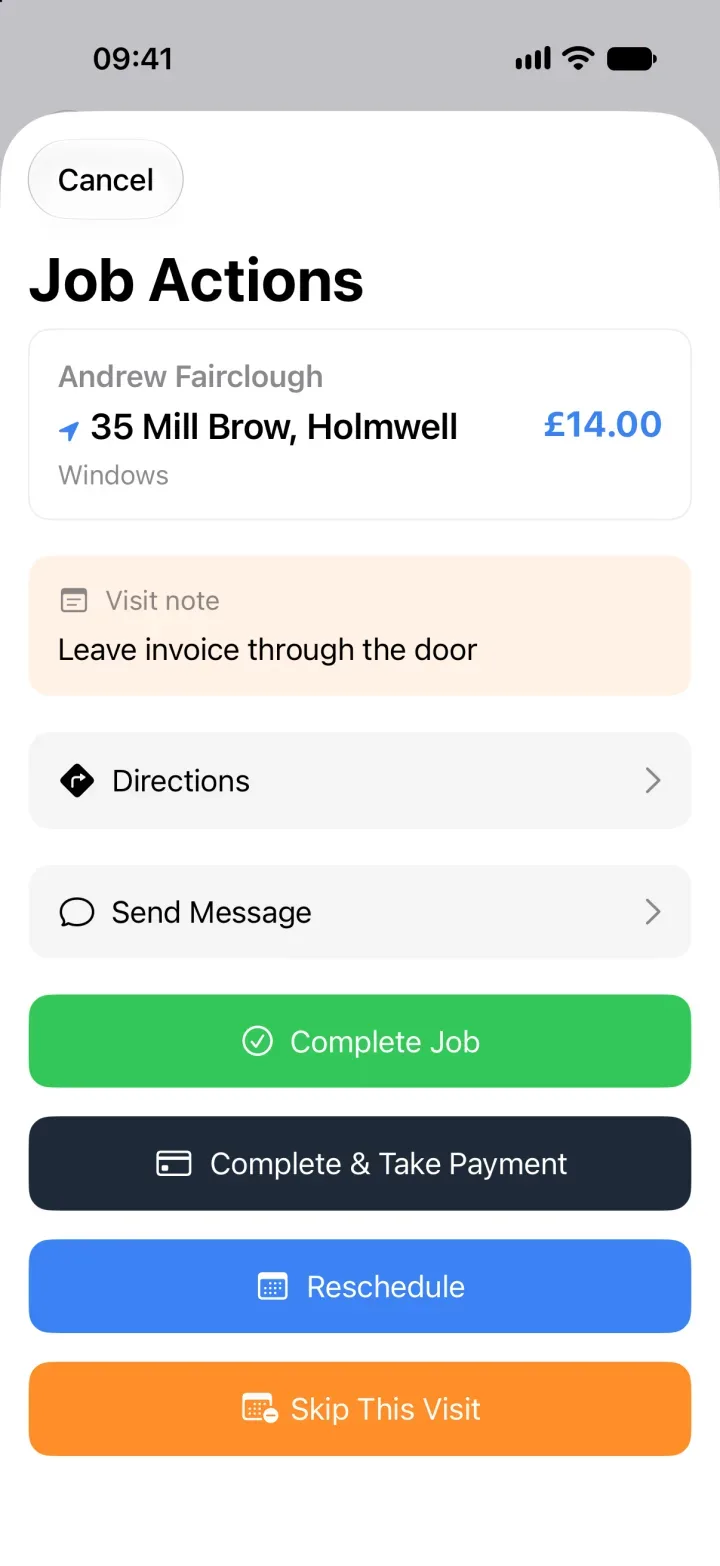
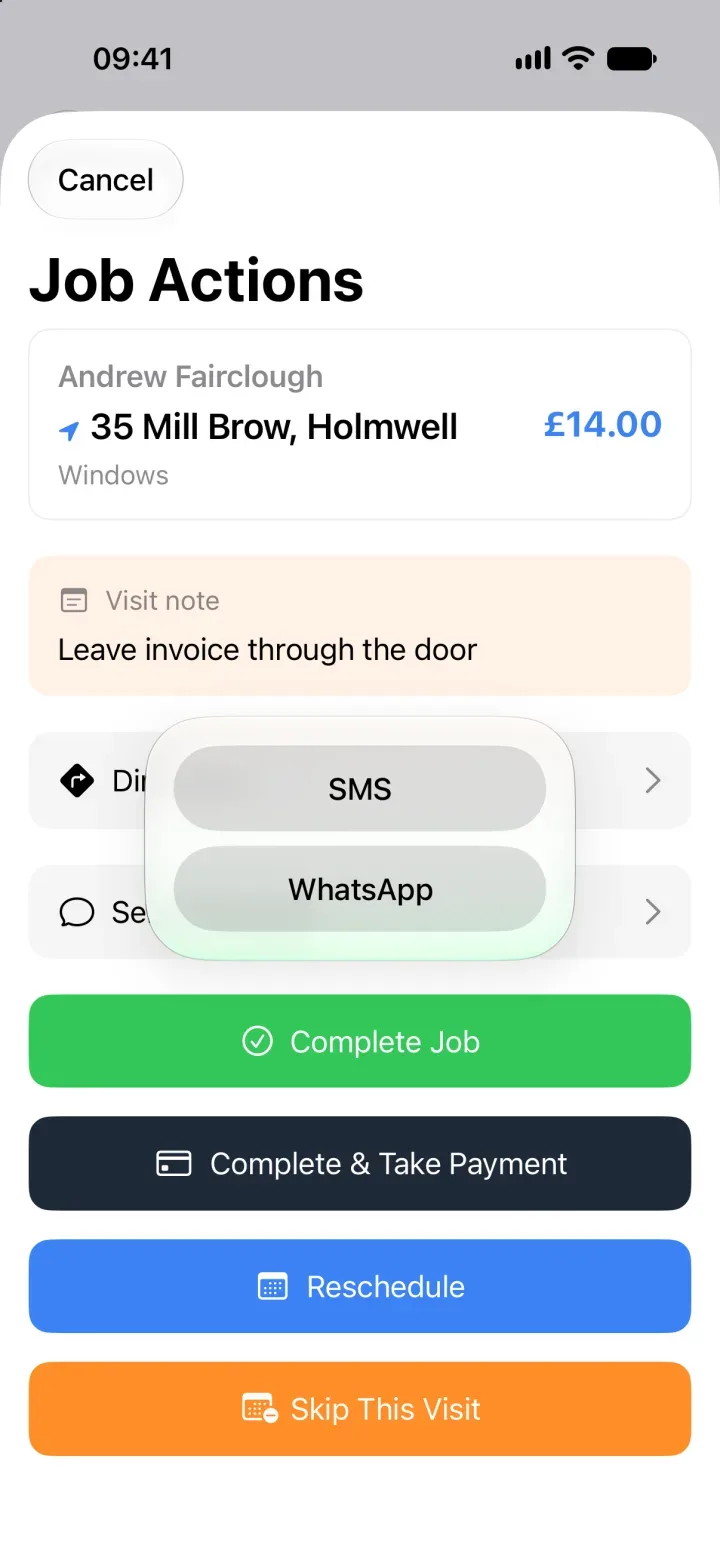
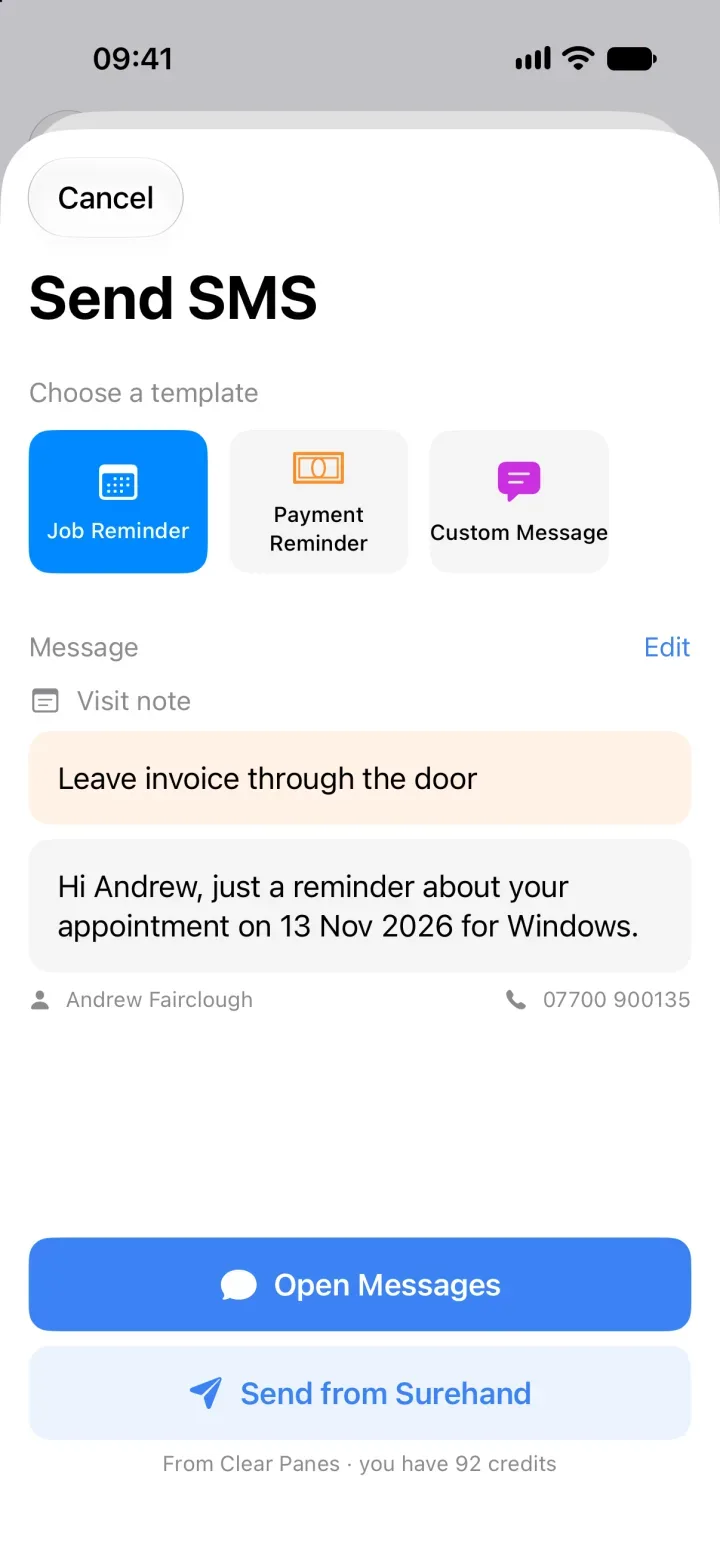
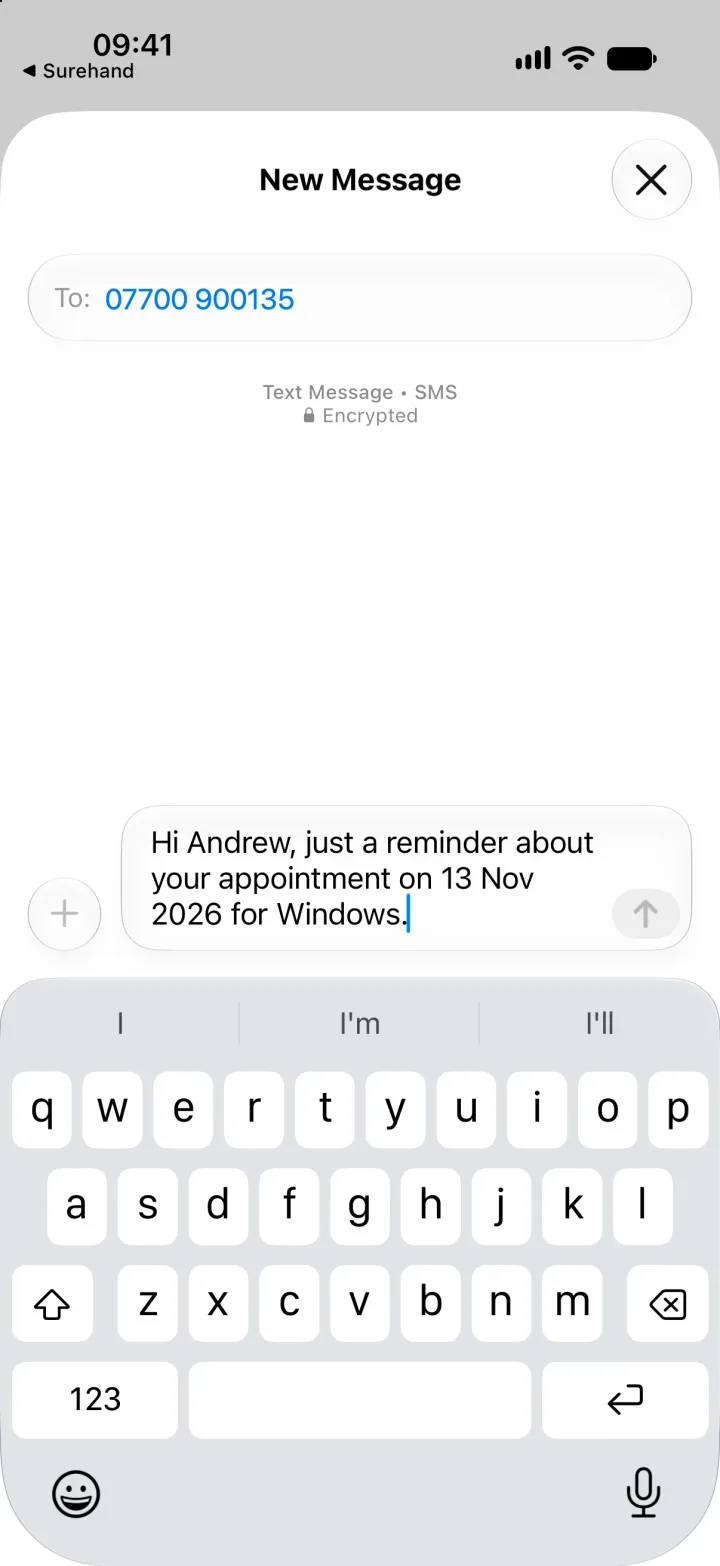
Open a visit on Today
Invoice and get paidQuotes and invoices with your logo, sent by email, and paid the way customers like.
- Card payment links with Stripe
- Direct Debit with GoCardless
- Cash and bank transfers recorded in a tap
- Reminders and statements for anything overdue
Invoices
Example
Connected to how you get paidConnect them once in Settings on Pro and Crew.


Card payments
Send a card payment link with the invoice. The customer pays on their phone and the invoice marks itself paid.


Direct Debit
Customers authorise once, then completed-job invoices are collected when they’re due.
- Xero
Accounting
Invoices and payments sync to Xero, HMRC-recognised software for Making Tax Digital. No exports, no double entry.
Your bank feed does the matching.
Connect your bank once. What comes in lands against the right invoice, and you tick it off. No more evenings with a bank statement.
- Read-only
- Surehand can see payments, never move money.
- Open Banking
- Connected through TrueLayer, with your bank’s own sign-in.
- Kept from the AI
- Bank details never go near the assistant.
Payments come in, matched to invoices
Expenses, profit and taxSnap receipts, see what you made, and stay on top of Making Tax Digital.
- Receipt photos read for you
- Profit and loss, and tax-year totals
- Making Tax Digital quarters tracked
- Xero sync on Pro and Crew
Finances
Example
Running more than one van?On the Crew plan, Surehand runs the whole team, not just your business.
Teams
Example
Friday
3 vans · 32 visits
- DHVan 1 · Dave12 visits · PenworthamWorker
- SRVan 2 · Sam9 visits · LongtonWorker
- LBVan 3 · Lee11 visits · FulwoodWorker
Each crew sees only its own visits.
Made for iPhone and Apple Watch.Siri, the Action button, a Home Screen widget and Apple Watch. Android gets the same app and assistant.


- Example
Ask Siri what’s next, how the day’s going, or what you’re owed. Surehand answers without you opening the app.
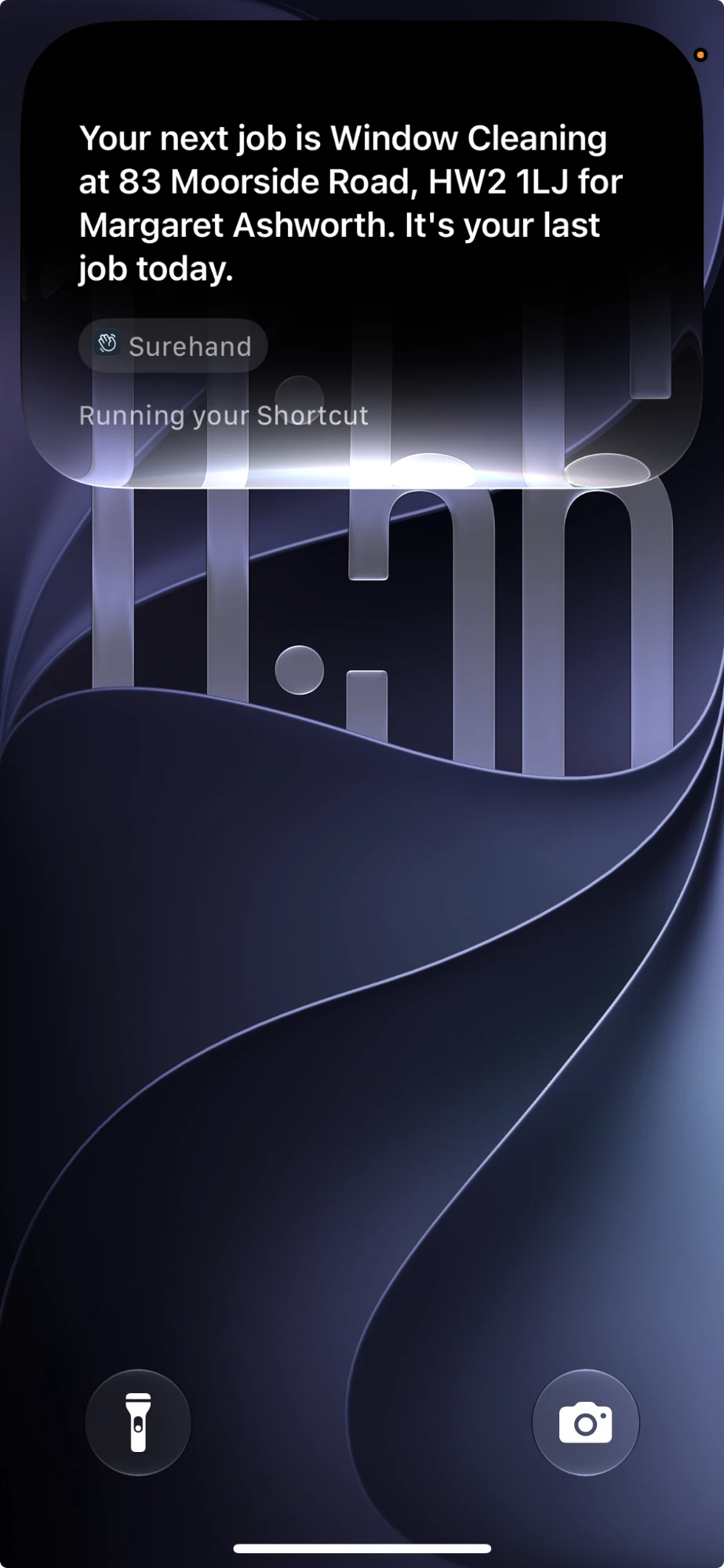
- Example
Ten shortcuts, ready the day you install. Put your favourite on the Action button.
- Ask Surehand
- Finish My Day
- Next Job
- Start Next Job
- Finish Job
- How’s My Day
- Navigate to Next Job
- Share an Invoice
- Invoices to Send
- Amount Owed
- Example
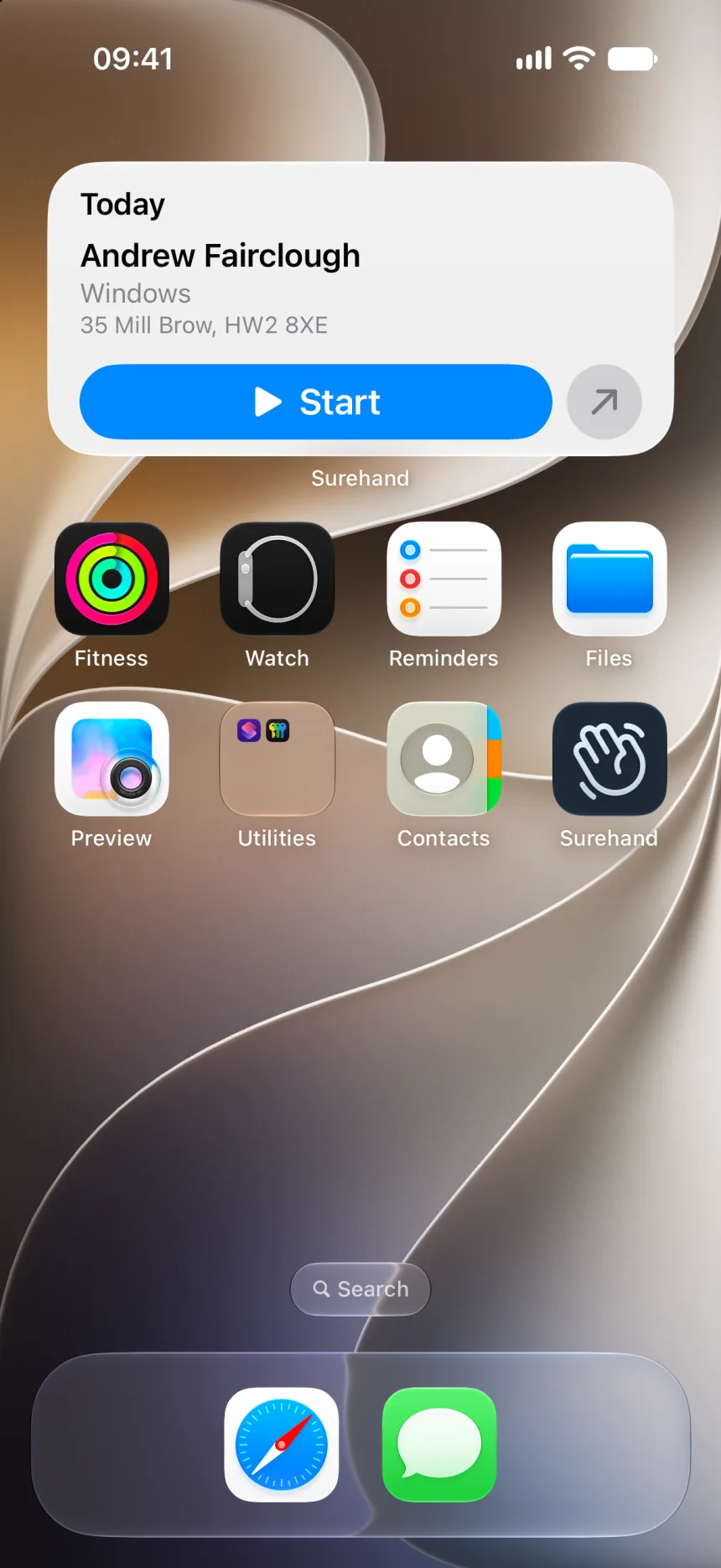
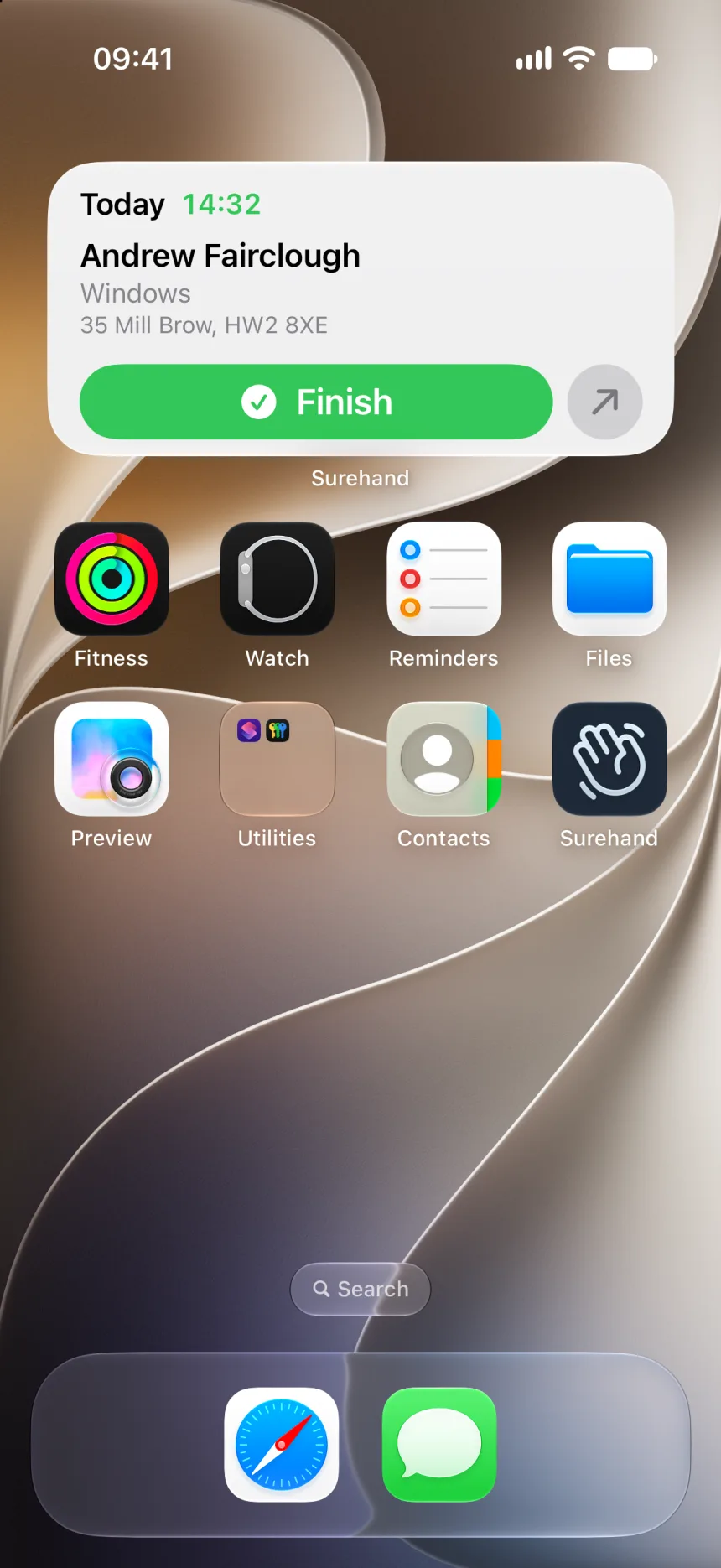
Start and finish jobs from your Home Screen. The timer runs while you work.
- Example
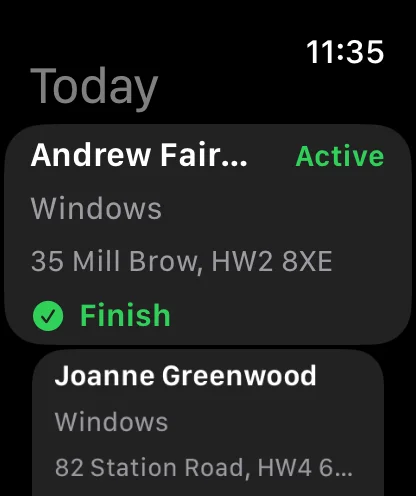
Today’s jobs on your wrist. Tap to start, tap again to finish.
Coming soon
Inventory
Stock levels, reorder alerts and what each job uses.
VAT returns
VAT tracked on invoices and expenses, ready for HMRC.
Custom fields
Add the details that matter to your business.
Try Surehand free for 30 days.
iPhone, Android and the web. Bring your customers from a spreadsheet or your current app.