Record a payment against the correct customer and invoice so the amount still owed remains accurate.
Connected and manual payments
Surehand can receive information from connected payment services. Do not record the same payment manually if it has already arrived through an integration.
Use a manual payment method when the money was taken elsewhere, such as:
- Cash.
- A card payment processed outside Surehand.
- Bank transfer.
- Another external payment method.
Instructions for your platform
Choose where you’re using Surehand. We’ll remember your selection for the next guide.
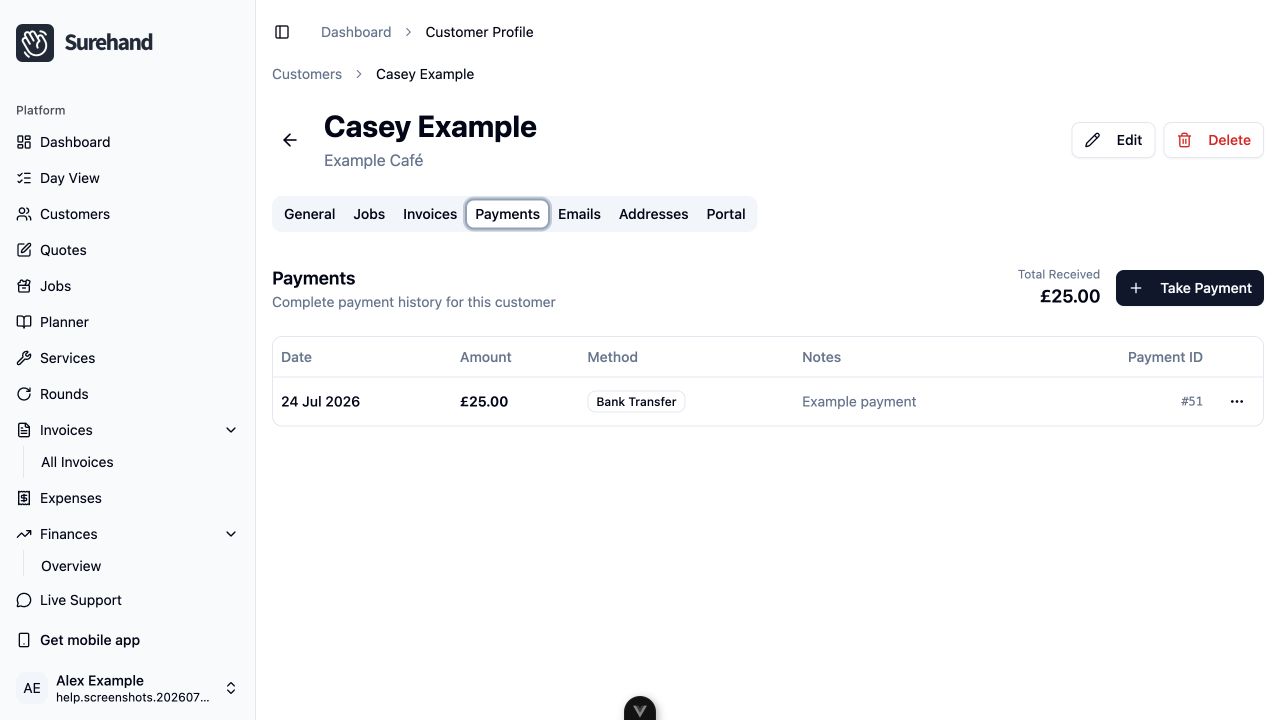
Record a payment on the web
Open the customer, then go to Billing and choose Invoices or Payments. For an invoice with money outstanding, choose Take Payment.
- Check the customer and invoice.
- Enter or confirm the amount.
- Choose the method that reflects how the money was actually received.
- Add a useful note or reference when needed.
- Confirm the payment.
You can also take payment while completing a job in Day View:
- In the Complete job panel, turn on Take payment.
- Choose the Method.
- Check Amount received and change it to the amount actually received. It can be less than the invoice total.
- Add a Reference if needed, then complete the job.
Surehand records the payment against the job's invoice. If you entered less than the total, the rest stays outstanding.
Record a payment on iPhone or iPad
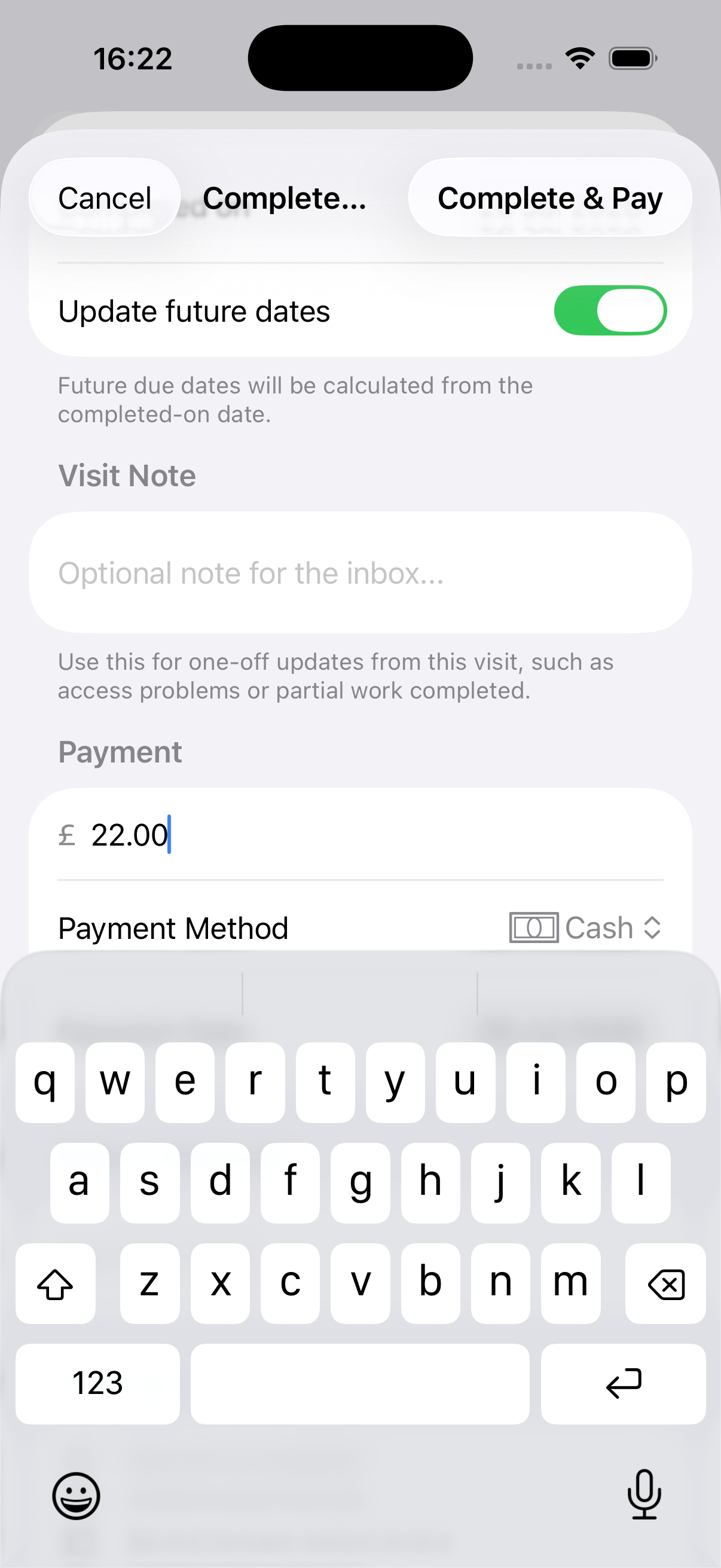
Open the customer’s Payments area and use the payment action, or choose Complete & Take Payment while finishing a visit.
- Check the customer, invoice and amount.
- Choose the payment type, such as cash, bank transfer, card, cheque or another manual method.
- Add the date and a useful note when needed.
- Confirm the payment and its invoice allocation.
If Tap to Pay or Direct Debit is available, follow the connected collection flow instead of also recording the same money manually.
Record a payment on Android
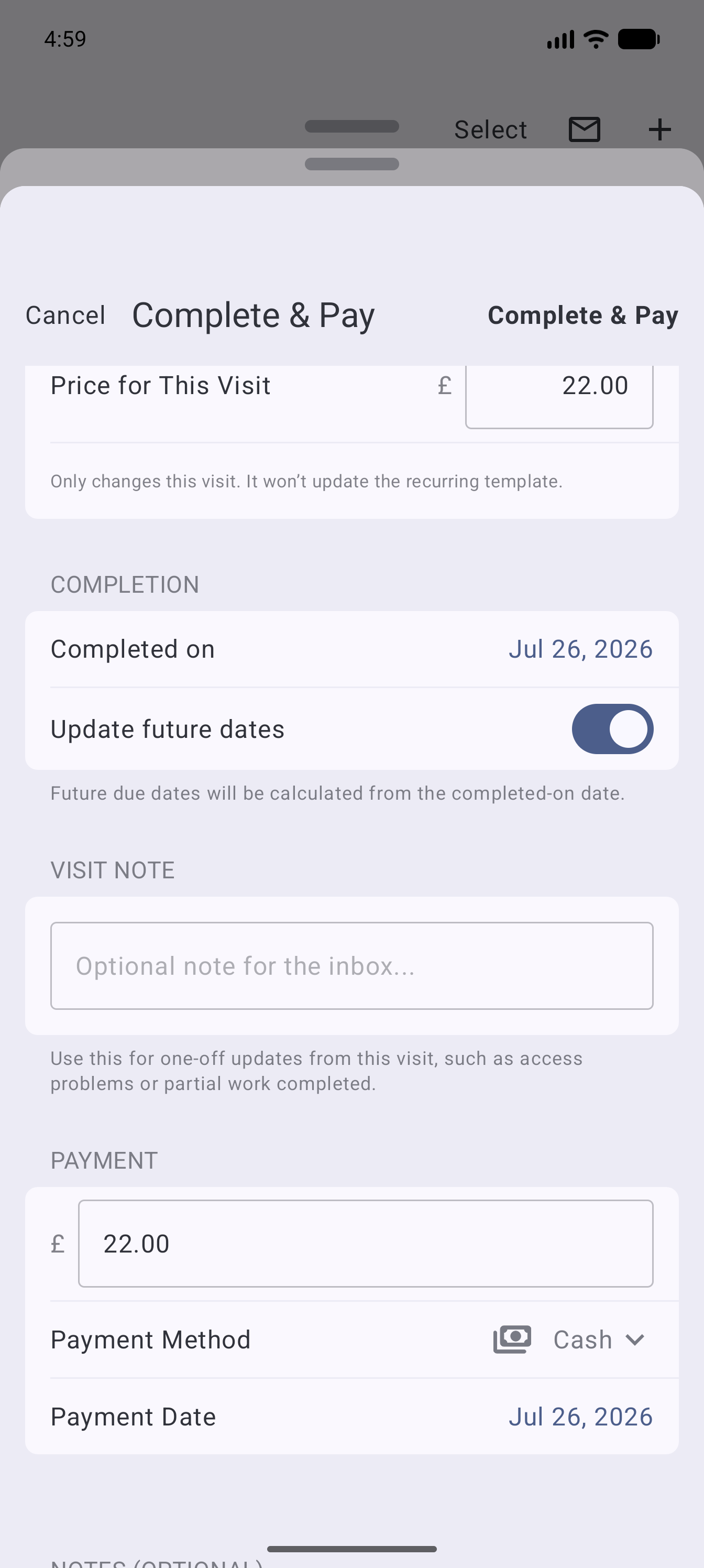
Open the customer’s Payments area and use the payment action, or choose Complete & Take Payment while finishing a visit.
- Check the customer, invoice and amount.
- Choose the payment type, such as cash, bank transfer, card, cheque or another manual method.
- Add the date and a useful note when needed.
- Confirm the payment and its invoice allocation.
If Tap to Pay or Direct Debit is available, follow the connected collection flow instead of also recording the same money manually.
Handle partial payments
When a customer pays only part of an invoice, record the amount actually received. The invoice should continue to show the remaining balance.
Do not mark the full invoice paid unless the full amount has been received or an authorised adjustment has been made.
Check the result
After recording payment:
- The payment should appear in the customer’s payment history.
- The invoice balance and status should update.
- Financial reporting should include the received amount.
If it does not look right, stop before recording another payment. Check whether an integration is still processing the original transaction.
Refunds
Use the refund action attached to the original payment where supported. A refund is different from deleting a payment record: it preserves what happened and the money returned.
For a GoCardless payment:
- Open the customer's Payments area.
- Find the original Confirmed or Paid out payment.
- Choose Refund.
- Check the original amount, previous refunds and remaining refundable balance.
- Enter a full or partial refund amount, and optionally add a reference and reason.
- Review the confirmation and issue the refund once.
GoCardless refunds typically take 2–5 working days to reach the customer's bank account. A partial refund leaves the remaining amount allocated. If Surehand cannot check previous refunds, close the form and try again rather than guessing the available amount.
Refund availability is controlled by GoCardless for the connected merchant. If the account is not enabled for refunds, contact GoCardless before trying again.
Keep the method truthful
Choose the method that describes the transaction, not the method you wish the customer had used. Accurate payment methods make reconciliation and financial reporting more reliable.