Use a quote to describe and price work before it is accepted. Add the customer and check their email address before you begin.
Instructions for your platform
Choose where you’re using Surehand. We’ll remember your selection for the next guide.
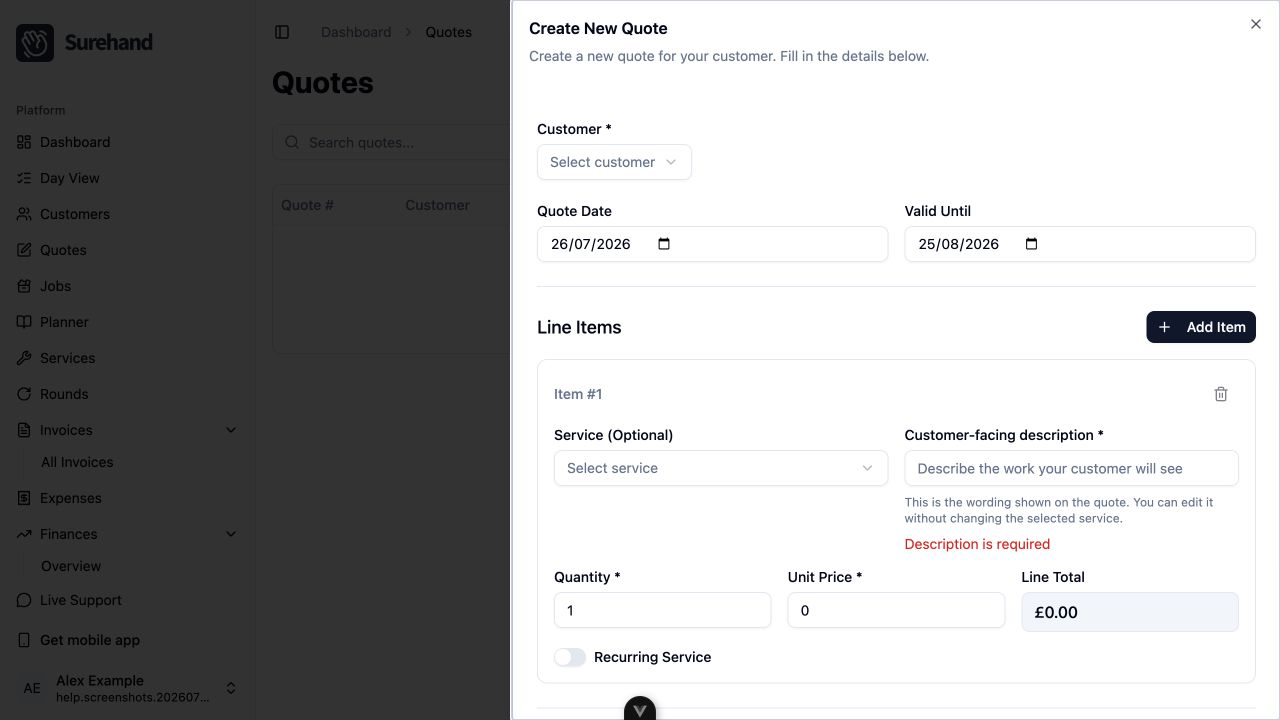
Create a quote on the web
- Open Quotes.
- Choose Create Quote.
- Select the customer.
- Check the quote date and Valid Until date.
- Add at least one line item.
- Add customer-facing terms or notes where needed.
- Choose Create Quote to save it as a draft.
Send the quote on the web
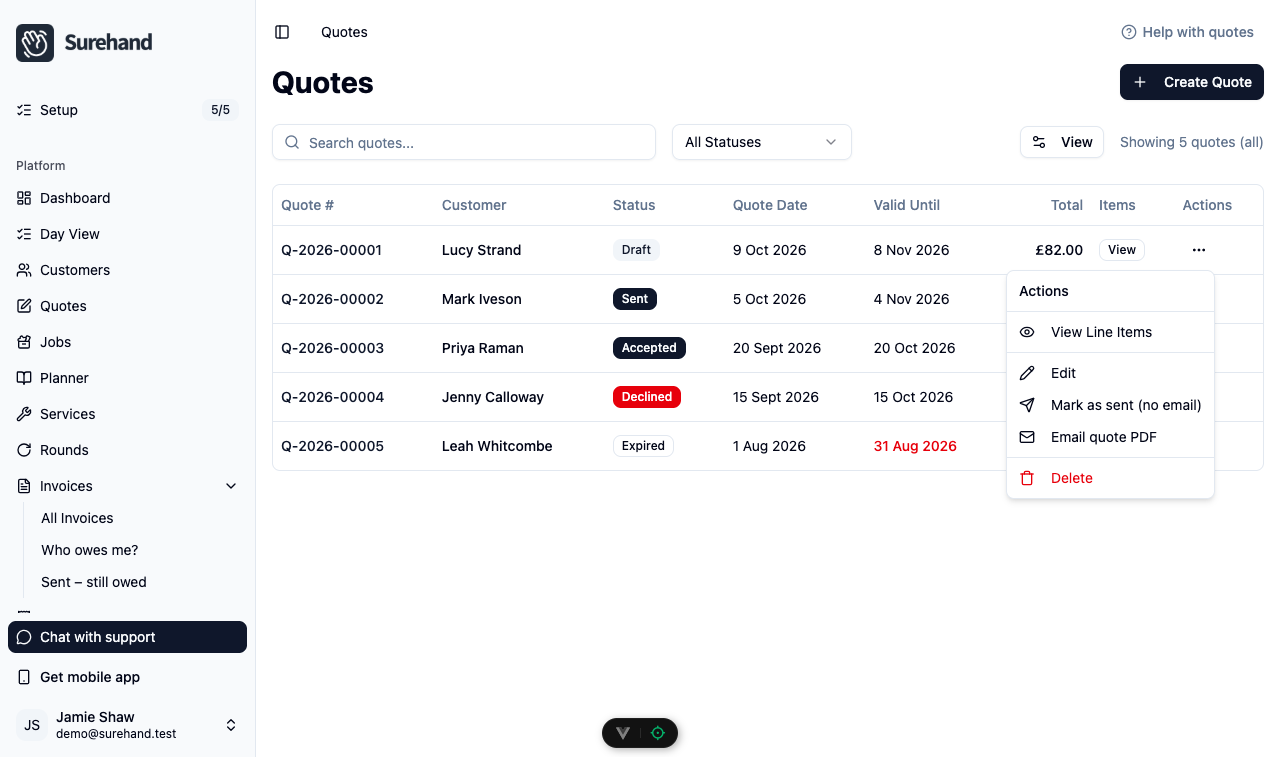
- In Quotes, open the ⋯ menu on the quote's row.
- Choose View Line Items and check the items and total.
- Choose Email quote PDF, check the customer and email address shown, then choose Email quote PDF again.
- Choose Mark as sent (no email) so the status changes to Sent.
Email quote PDF emails the branded PDF to the customer's email address but does not change the quote's status. Mark as sent (no email) changes a draft to Sent without emailing anything, so use it on its own if you gave the customer the quote another way. You can't email a quote that is expired or declined, or one whose customer has no email address.
Create a quote on iPhone or iPad
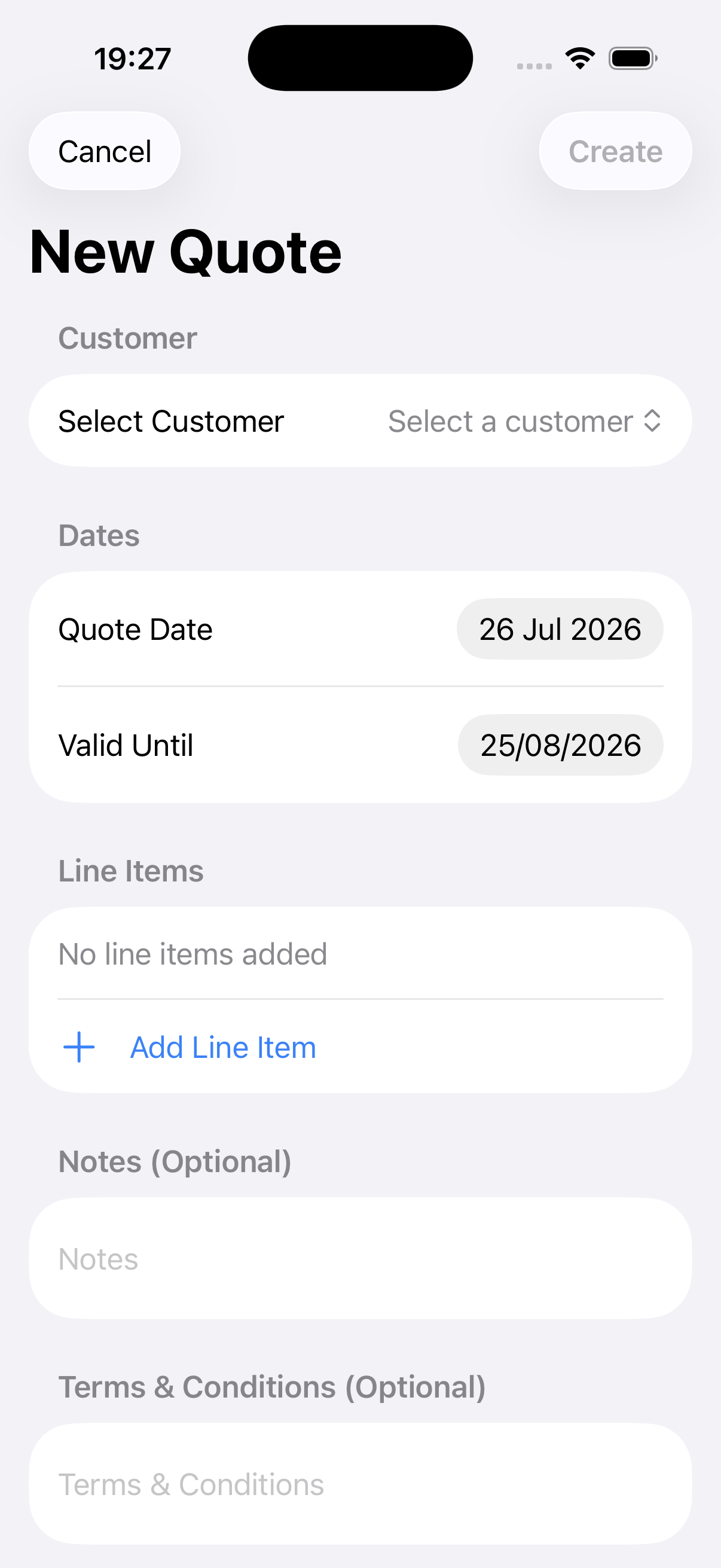
- Open More → Quotes.
- Use the + action.
- Select the customer and check the dates.
- Choose Add Line Item.
- Add the description, quantity, price and any recurring pattern.
- Add terms or notes where needed.
- Choose Create.
Open the saved quote, review it and confirm the recipient before sending.
Create a quote on Android
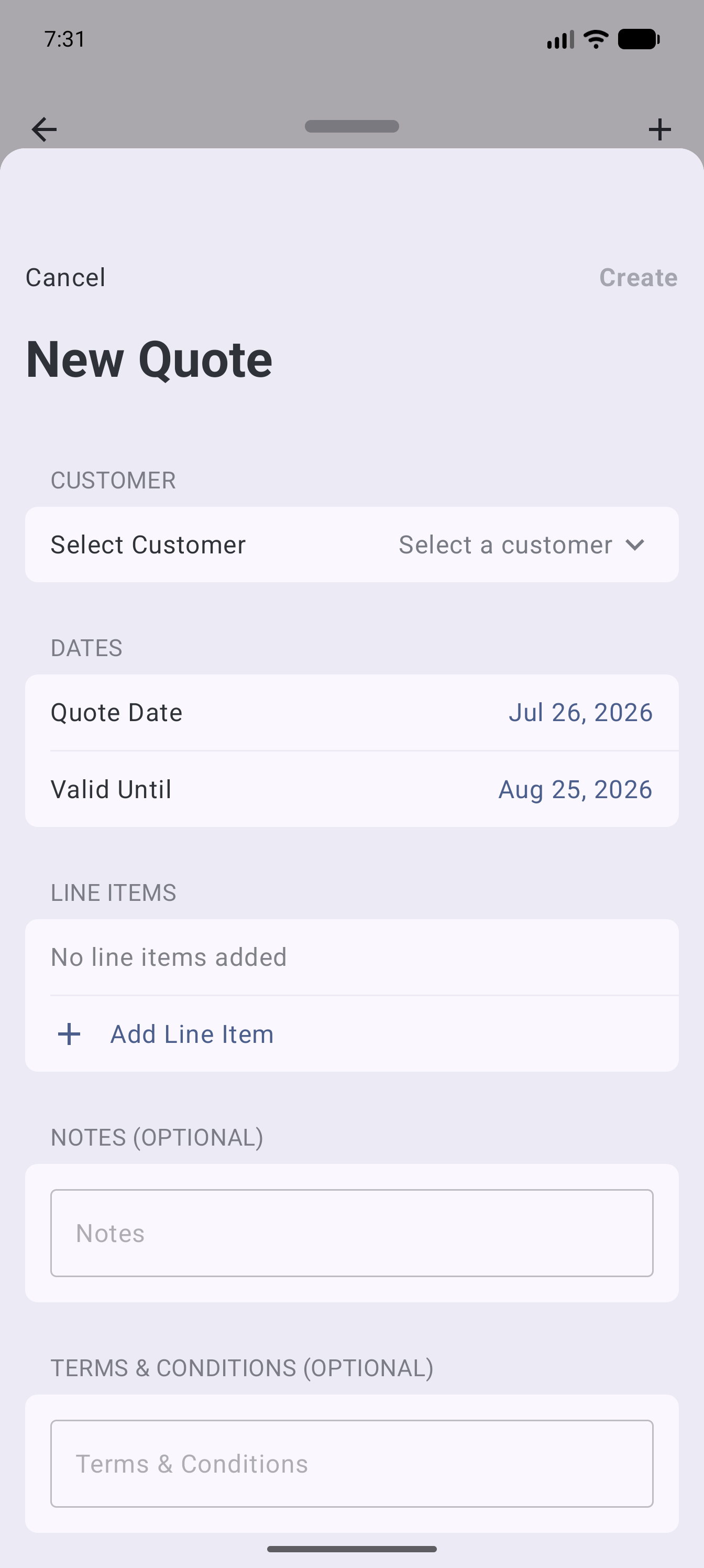
- Open More → Quotes.
- Use the + action.
- Select the customer and check the dates.
- Choose Add Line Item.
- Add the description, quantity, price and any recurring pattern.
- Add terms or notes where needed.
- Choose Create.
Open the saved quote, review it and confirm the recipient before sending.
Build clear line items
For each item:
- Select a service when an existing service matches the work.
- Write a description the customer will understand.
- Set the quantity and unit price.
- Check the line total and tax.
The description is what the customer sees. You can adjust it without renaming the underlying service.
Describe recurring work carefully
When quoting for repeating work, mark the relevant line as recurring and describe the frequency clearly—for example, Every four weeks rather than Monthly when that distinction matters.
A recurring line describes the proposal. Check the resulting schedule when accepted work is turned into jobs.
Review and follow the status
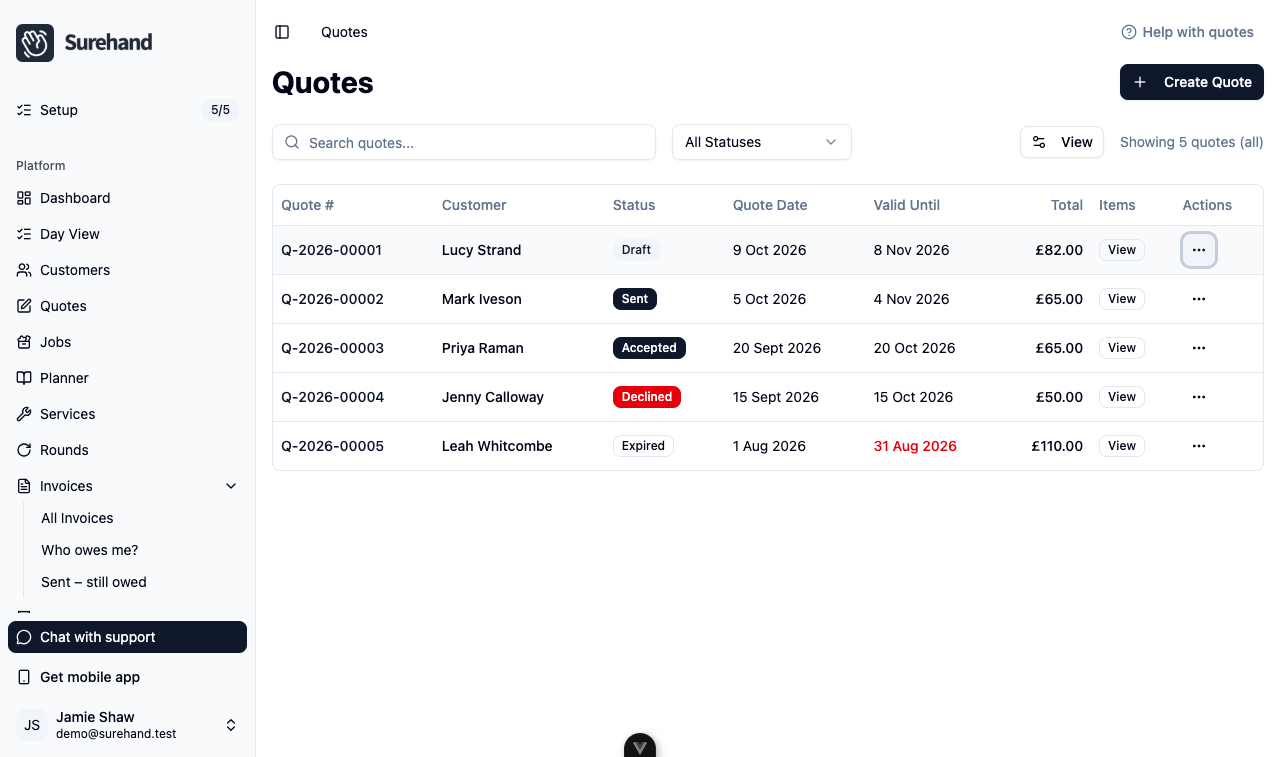
After sending, use the status to see whether the quote is draft, sent, accepted, declined or expired. Filter the Quotes list by status to find quotes that need a follow-up. You can only edit a quote while it is a draft.
Accept a quote
When the customer agrees, turn the quote into work on the web:
- In Quotes, open the ⋯ menu on a quote with the status Sent.
- Choose Accept Quote.
- Check the quote number and total, then choose Accept Quote.
Each one-off line becomes a job dated on the quote date. Each recurring line becomes a recurring job, and its first visits are added to your schedule. Every line needs a service selected for this to work.
Accepting can't be undone: the quote stays Accepted and no longer has actions other than View Line Items. Check the line items before you accept.
Decline, reopen, extend or revise a quote
Use these actions from the ⋯ menu on the web instead of creating a quote from scratch:
- Decline: for a sent quote the customer turned down. The status changes to Declined.
- Reopen: for a declined quote. It goes back to Draft so you can edit it and send it again.
- Extend Expiration: for a sent or expired quote. Choose a New Valid Until Date, then Extend. An expired quote goes back to Sent.
- Create Revision: for a sent or expired quote that needs changes. It creates a new draft with a new quote number, the same customer, line items, notes and terms, dated today and valid for 30 days. Edit the new draft and send it; the original quote is not changed.